Subject Group Classes
The Subject Group Classes page manages groups that can be assigned to subjects. Group classes categorize subjects into arms, cohorts, or strata — enabling stratified analysis and conditional event visibility.
Path: Home → Study Name → Build → Subject Group Classes
List of all subject group classes with their subject groups. Select any group class for details on its records and associated subjects.
Overview
Subject Group Classes are used to organize subjects into meaningful categories for study analysis and management. Common use cases include:
- Randomization Arms — For randomized controlled trials
- Cohorts — For observational or multi-site studies
- Strata — For stratified sampling or analysis
- Dose Groups — For dose-escalation studies
- Treatment Groups — For different treatment protocols
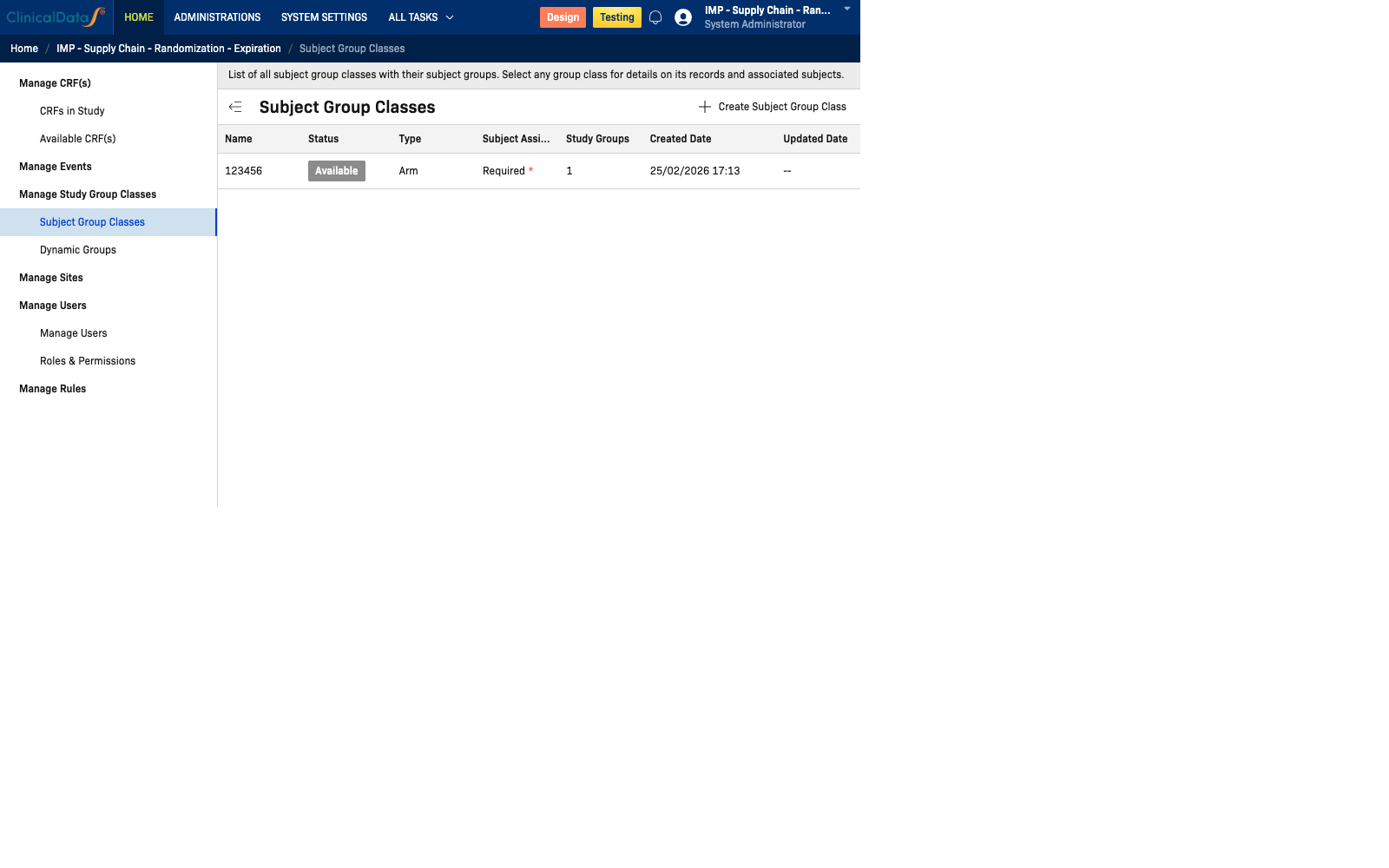
Group Classes Table
| Column | Description |
|---|---|
| Name | The name of the group class |
| Status | Current status: Available or Draft |
| Type | Category type (e.g., Arm, Cohort, Stratum) |
| Subject Assignment | How subjects are assigned: Required (must be assigned) or Optional |
| Study Groups | Number of groups within this class |
| Created Date | Date the class was created |
| Updated Date | Date the class was last modified |
| Action | Edit to modify the group class |
Example
| Name | Status | Type | Subject Assignment | Study Groups | Created Date |
|---|---|---|---|---|---|
| Treatment Arm | Available | Arm | Required | 2 | 15/01/2025 09:00 |
Row Actions
| Action | Description |
|---|---|
| Edit | Opens the group class editor to modify its settings and groups |
Tip: Click the expand arrow on a row to see all subject groups within the class.
Creating a Subject Group Class
To add a new group class, use the Edit flow or navigate to the group class creation form. You will configure:
- Name — A descriptive label for the class (e.g., "Treatment Arm")
- Type — Arm / Cohort / Stratum
- Subject Assignment — Required or Optional
- Study Groups — Define individual groups within the class (e.g., Active Treatment, Placebo)
Example: Randomization Arms for a 1:1 RCT
For a double-blind Phase III trial with two arms:
| Class Name | Type | Subject Assignment |
|---|---|---|
| Treatment Arm | Arm | Required |
Groups within "Treatment Arm":
| Label | Code | Weight | Description |
|---|---|---|---|
| CardioRelief CRF-101 | TRT | 1 | Active treatment, 50mg once daily |
| Placebo | PBO | 1 | Matching placebo once daily |
Important: The Code values (TRT, PBO) must match exactly the treatment arm codes you configure in the Randomization app. If they don't match, randomization assignment will not link to the correct subject group.
Create Subject Group Classes before configuring Randomization. The Randomization algorithm configuration reads treatment arm codes from the Subject Group Class — you must create the class first.
Use Cases
| Use Case | Configuration |
|---|---|
| Randomization Arms | Create an "Arm" type class with groups matching your randomization design (e.g., L1, L2) |
| Stratification | Create a "Stratum" type class to segment subjects by a characteristic (e.g., age group) |
| Cohorts | Create a "Cohort" type class for multi-cohort trials |
Related: See Dynamic Groups for event-based group assignment that controls Subject Matrix visibility.