Overview
The Monitoring Visit module supports end-to-end visit reporting operations, from configuration and report authoring to reviewer and sponsor approval workflows.
This module is used to:
- Configure visit types, CRF mapping, recipients, and site branches
- Track report workload by site and visit type from dashboard counters
- Manage report lifecycle with audit-ready status transitions
- Support cross-role handoff between Monitor, Reviewer, and Sponsor
The module has two main entry points:
- Configuration: Home workspace route for setup and visit definitions
- Dashboard: Study workspace route for daily monitoring and report analytics
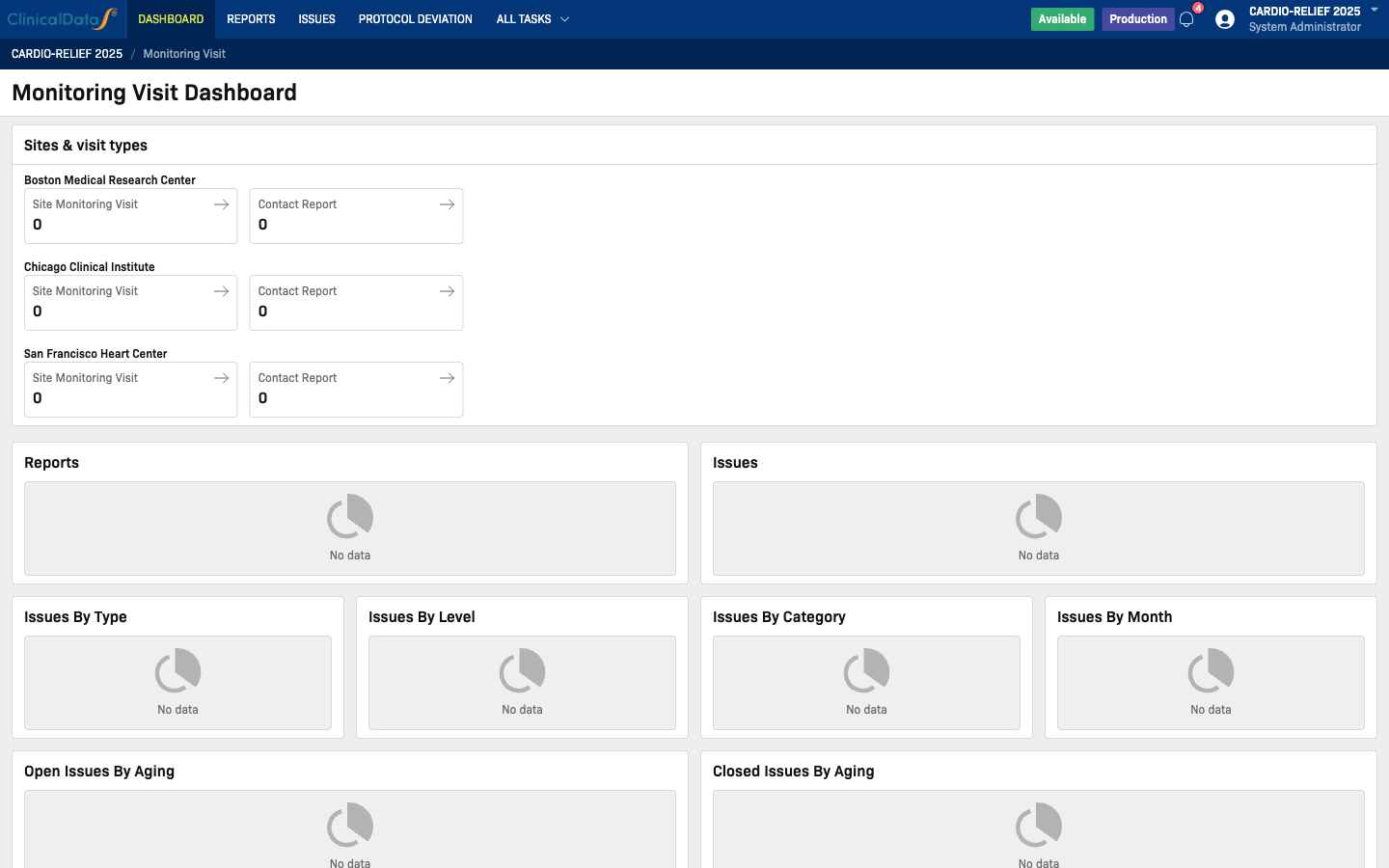
Sample study used in this documentation:
- Configuration: https://test-2025.clinicaldatas.net/home/study/S_Z0wtgjApA3j3u4jSKF/apps/monitoring
- Dashboard: https://test-2025.clinicaldatas.net/study/S_Z0wtgjApA3j3u4jSKF/apps/monitoring/dashboard
Validation Accounts Used
The workflows in this guide set were validated using the sample accounts managed in:
- ai-orchestration/01-knowledge/common-architecture/MONITORING_VISIT_SAMPLE_USERS_TEST2025.md
Role coverage:
| Role Flow | Sample Account |
|---|---|
| Configuration owner | study_admin |
| Site monitoring flow | site01_monitor, site02_monitor |
| Review and finalization flow | site01_reviewer |
| Sponsor approval flow | study_sponsor |
| Backup admin access | system_administrator_luan |
tip
For user-guide updates, keep one report in each status (Draft, Completed, Reviewed, Finalized, Approved) to ensure every section can be validated with screenshots.
Documentation
- Configuration - Configure visit types, CRFs, default versions, recipients, and site branches
- User Guide - Use dashboard, open report lists, filter/search, and export reports
- Role-Based SOP - End-to-end SOP for CRA/Monitor/Sponsor with status ownership matrix