Overview
The IMP (Investigational Medicinal Product) module manages the full supply chain lifecycle for clinical trial medications — from product registration and warehouse setup, to site-level dispensing and inventory reconciliation.
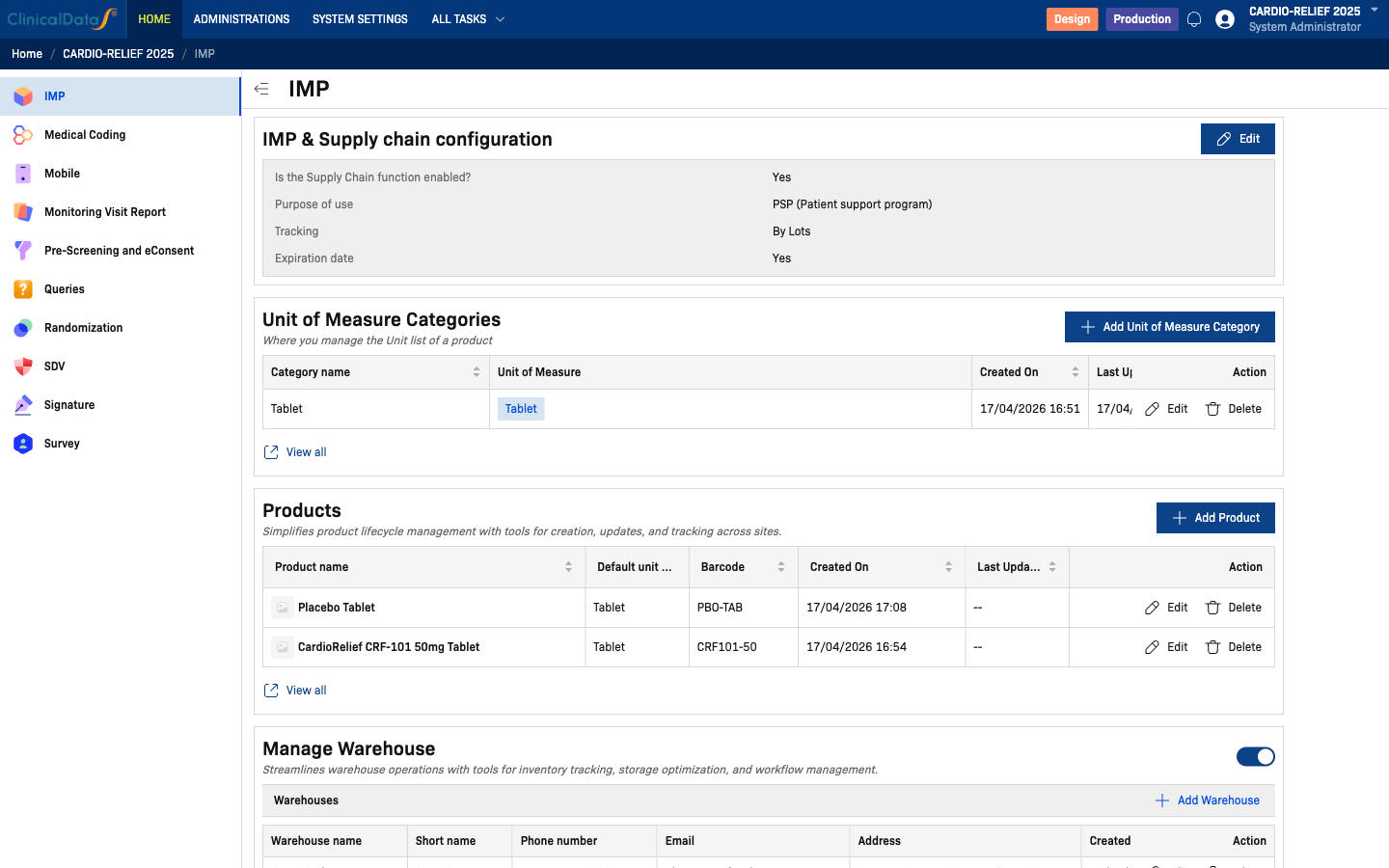
Key Features
- Supply chain configuration — Define the purpose (PSP or Randomization), tracking mode, and expiration date requirements
- Units of measure — Manage measurement categories and units (e.g., Tablet, Vial, mL) used across products
- Product registry — Register investigational products with barcodes, units, and optional thumbnails
- Warehouse management — Configure a Central Depot plus site-specific pharmacies; track contacts and addresses
- Physical inventory at sites — Enable site-level inventory counts with waste reason tracking
- Products in CRF/Event — Link products to eCRF dispensing events for in-study recording
- Attachment collection — Require dispensing logs, invoices, or supporting documents at time of dispensing
Purpose Modes
| Mode | Description |
|---|---|
| PSP (Patient support program) | For non-randomized dispensing workflows; allows free product assignment per event |
| Randomization | Ties dispensing to the Randomization module; requires Randomization module to be configured before products can be added. Supports only 1 investigational product per study. |
warning
In Randomization mode, CDS currently supports only one (1) investigational product per study. For studies requiring multiple IMP products, use PSP mode instead.
Video Walkthrough
Video transcript
| Timestamp | Step |
|---|---|
| [0:00] | Navigate to the IMP module from your study's app list. The configuration page loads showing all setup sections. |
| [0:20] | Top of the page — module overview. Scroll down to see each configuration card in sequence. |
| [0:35] | IMP & Supply Chain Configuration — controls whether supply chain is enabled, the purpose mode (PSP or Randomization), lot tracking, and expiration date requirements. |
| [1:00] | Click Edit to open the Supply Chain dialog. Current settings: Supply chain = enabled, Purpose = PSP (Patient support program), Tracking = By Lots, Expiration date = Yes. |
| [1:45] | Unit of Measure — one category configured: Tablet with unit Tablet. Units are shared across all products. |
| [2:15] | Products — two registered products: CardioRelief CRF-101 50mg Tablet (barcode: CRF101-50) and Placebo Tablet (barcode: PBO-TAB). |
| [3:00] | Manage Warehouse — four warehouses: Central Depot (auto-created hub), SITE-01 Pharmacy (Boston), SITE-02 Pharmacy (Chicago), SITE-03 Pharmacy (San Francisco). |
| [4:00] | Physical Inventory at Sites — toggle is enabled, allowing site coordinators to record inventory counts and waste reasons. |
| [4:45] | Products in CRF/Event — links registered products to dispensing events in the eCRF. In PSP mode this section is labelled accordingly. |
| [5:15] | Attachment — click Edit to open the dialog. Collect attachment files = Required, custom label = Dispensing Log. All other document fields = Not used. |
| [6:30] | Scroll back to top — IMP module is fully configured for CARDIO-RELIEF 2025 with PSP dispensing, 2 products, and 4 warehouses. |
Documentation
- Configuration — Supply chain, products, warehouses, inventory