Manage Events
The Manage Events page lists all clinical event definitions in the study. Events represent time points or visits at which data is collected from subjects. Each event contains one or more CRFs (Case Report Forms) assigned to it.
Path: Home → Study Name → Build → Manage Events
Overview
The Manage Events interface provides a central location for viewing and managing all event definitions in your study. This page displays:
- A comprehensive table of all event configurations
- Status indicators for each event (Available, Draft, or Locked)
- The CRFs assigned to each event
- Creation and modification timestamps
- Quick access actions (View, Edit)
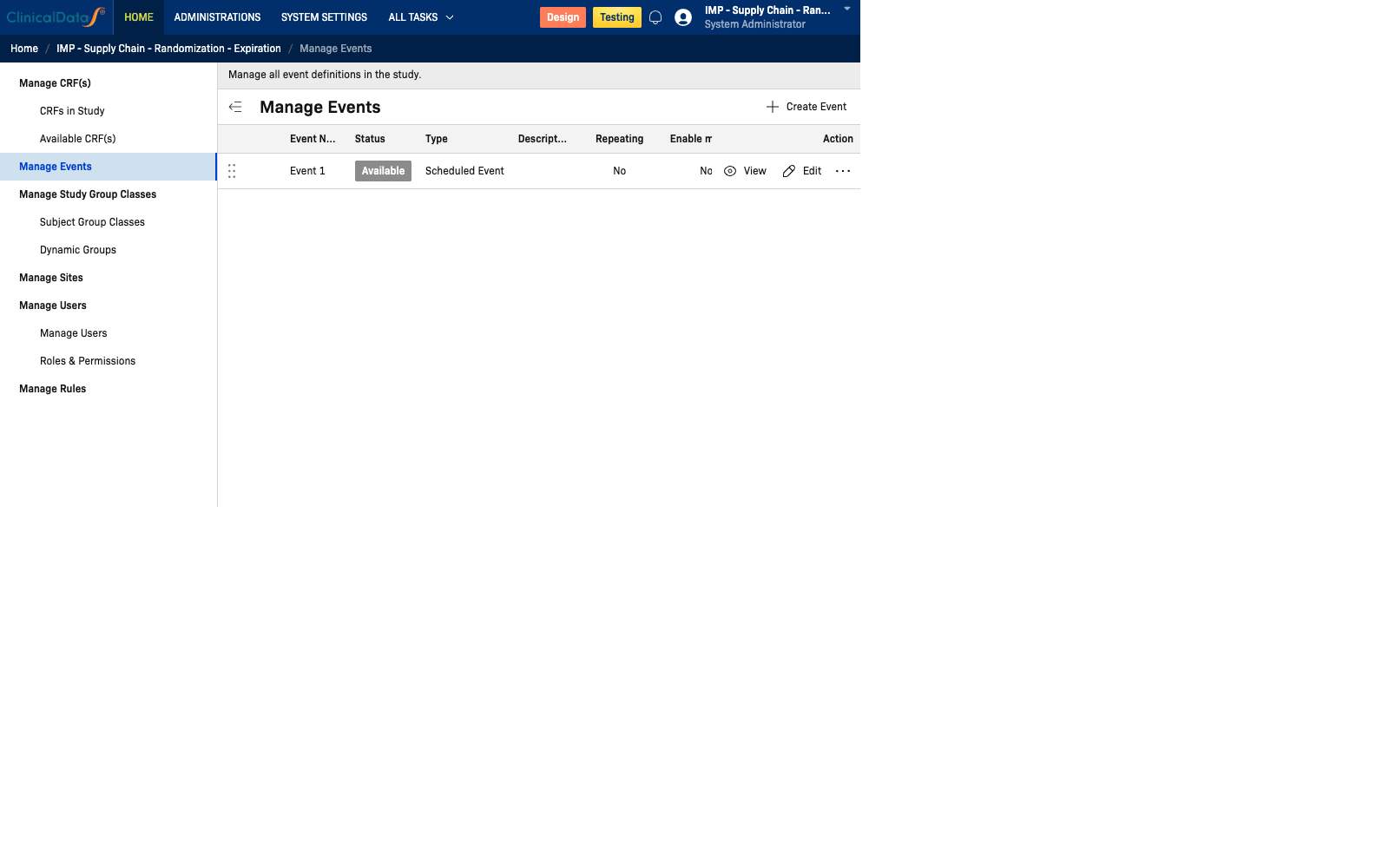
Events Table
| Column | Description |
|---|---|
| Event Name | The display name of the event |
| Status | Current status: Available, Draft, or Locked |
| Type | Type of event (e.g., Scheduled Event, Unscheduled) |
| Description | Optional description of the event's purpose |
| Repeating | Whether the event can repeat for the same subject (Yes/No) |
| Enable More Personal Data | Whether additional personal data fields are collected during this event |
| Enable Simple AE | Whether a simplified adverse event form is enabled |
| CRF(s) | List of CRFs assigned to this event |
| Last Updated | Date and time the event was last modified |
| Action | View to see event details |
Example
| Event Name | Status | Type | Repeating | CRF(s) | Last Updated |
|---|---|---|---|---|---|
| Screening | Available | Scheduled Event | No | Medical History, Vital Signs, Labs | 15/01/2025 09:00 |
| Randomization / Baseline | Available | Scheduled Event | No | Demographics, Physical Exam, Randomization | 15/01/2025 09:05 |
| Week 4 Visit | Available | Scheduled Event | No | Vital Signs, Labs, Adverse Events | 15/01/2025 09:10 |
| Week 12 Visit | Available | Scheduled Event | No | Vital Signs, Labs, Adverse Events, Echo | 15/01/2025 09:15 |
| Week 26 Visit | Available | Scheduled Event | No | Vital Signs, Labs, Adverse Events, Echo | 15/01/2025 09:20 |
| Week 52 Visit | Available | Scheduled Event | No | Vital Signs, Labs, Adverse Events, Echo, QoL | 15/01/2025 09:25 |
| Early Termination | Available | Unscheduled Event | No | Vital Signs, Adverse Events, Reason for ET | 15/01/2025 09:30 |
| Follow-up | Available | Scheduled Event | No | Vital Signs, Adverse Events | 15/01/2025 09:35 |
Row Actions
| Action | Description |
|---|---|
| View | Opens the event definition detail page to review its full configuration |
Event Configuration Options
When creating or editing an event, the following options are available:
General
- Event Name — A unique name for the event
- Status — Available / Draft / Locked
- Type — Scheduled Event, Unscheduled Event, or Common Event
- Description — Optional free-text description
Behavior
- Repeating — If enabled, the same subject can complete this event multiple times
- Enable More Personal Data — Adds extra personal data fields to the event form
- Enable Simple AE — Attaches a simplified adverse event form to the event
CRF Assignment
Events can have one or more CRFs assigned. CRFs are defined in the CRFs in Study section and must be assigned to an event before they can be filled in for a subject.
Note: CRF assignments determine what data entry forms appear on the Subject Matrix for each event.