info
For the business definition of IMP, see IMP in Getting Started. For setup, see IMP Configuration.
The IMP supply chain tracks investigational product (IP) from creation through participant dispensing and return.
Navigation
| Menu | Sub-item | Requires | Purpose |
|---|---|---|---|
| Transfer | Receipts | Manage Warehouse = On | Warehouse confirms receipt from Central Depot |
| Transfer | Delivery to Site | Supply Chain function = Yes | Sponsor or Site creates delivery requests to sites |
| Transfer | Site Receipts | Supply Chain function = Yes | Auto-generated receipts when site delivery is confirmed |
| Transfer | Dispenses | Supply Chain function = Yes | Site records dispensing to participants |
| Transfer | Returns | Supply Chain function = Yes | Site records unused/expired IP returns |
| Products | Products | — | View products and their barcodes |
| Products | IP Code | — | Add and manage individual IP codes |
| Configuration | Warehouses | Manage Warehouse = On | Central Depot + intermediate/site pharmacy locations |
| Configuration | Unit of Measure Category | — | Product units (e.g., Tablet) |
| All Tasks | — | Supply Chain function = Yes | Pending tasks across all transfer steps |
Supply Chain Flow
Step 1 — Configuration
  └─ Warehouses: Central Depot + SITE-01, SITE-02, SITE-03 Pharmacies
  └─ Unit of Measure: Tablet

Step 2 — Products
  └─ Products defined: e.g., CardioRelief CRF-101 50mg Tablet, Placebo Tablet

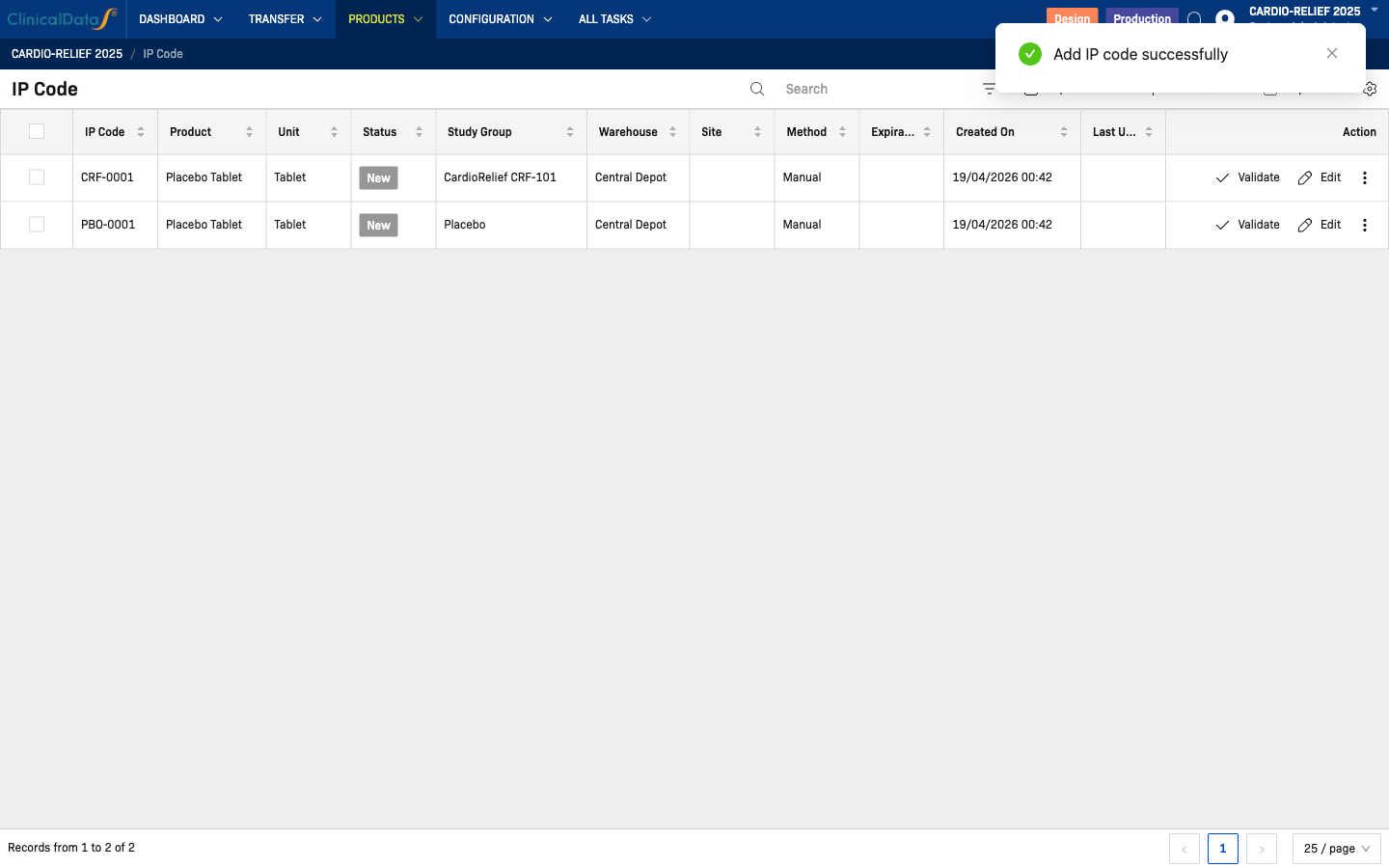
Step 3 — IP Codes (Products → IP Code)
  └─ Add codes one-by-one or bulk import via CSV
  └─ Assign Study Group at creation (CardioRelief CRF-101 or Placebo)
  ⚠️  Unblinded operation — visible to unblinded roles only

Step 4 — Receipts: Central Depot → Warehouse  [Manage Warehouse = ON only]
  └─ Sponsor ships from Central Depot to intermediate Warehouse
  └─ Warehouse confirms receipt (Transfer → Receipts)

Step 5 — Delivery to Site (Transfer → Delivery to Site)  [Supply Chain function = Yes]
  Two request types:
  └─ Sponsor-initiated: Sponsor selects warehouse → ships to site
  └─ Site-initiated: Site Pharmacist requests → Sponsor approves + assigns warehouse → ships to site
  [Manage Warehouse = OFF: source is Central Depot directly]

Step 6 — Site Receipts (Transfer → Site Receipts)
  └─ Auto-generated by system on delivery confirmation
  └─ Read-only list

Step 7 — Dispenses (Transfer → Dispenses)
  └─ Site records IP dispensed to participant

Step 8 — Returns (Transfer → Returns)
  └─ Site records unused/expired IP returned
Two IMP Configuration toggles control the supply chain
Is the Supply Chain function enabled?
- Yes — activates the Delivery Request workflow (Transfer → Delivery to Site). Two request types are available:
- Sponsor-initiated: Sponsor selects a warehouse and creates a delivery to a site.
- Site-initiated: Site Pharmacist requests a delivery → Sponsor reviews, approves, and assigns the source warehouse.
- No — the Transfer section is not available; supply chain operations are disabled.
Manage Warehouse (in IMP Configuration)
- On — 3-tier flow: Central Depot → Warehouse → Site Pharmacy. The intermediate Receipts step is required before IP codes can be delivered to sites.
- Off — 2-tier flow: Central Depot → Site Pharmacy directly. The Receipts step does not apply.
Design vs Production mode
The IMP app header shows Design and Production toggle buttons:
- Design — configuration changes allowed; no real supply transactions
- Production — live operational mode; IP codes and transfers are real
Configure all settings in Design mode before switching to Production.
Prerequisites
Before adding IP codes:
- Study randomization is configured (for Randomization purpose)
- At least one product is defined under Products → Products
- At least one warehouse is defined under Configuration → Warehouses
- Units of measure are defined under Configuration → Unit of Measure Category